Have you ever wished there were one simple system that could help you manage the many moving parts of senior care without juggling several apps, devices, and phone calls?
Are There All-in-one Systems Designed Specifically For Senior Care?
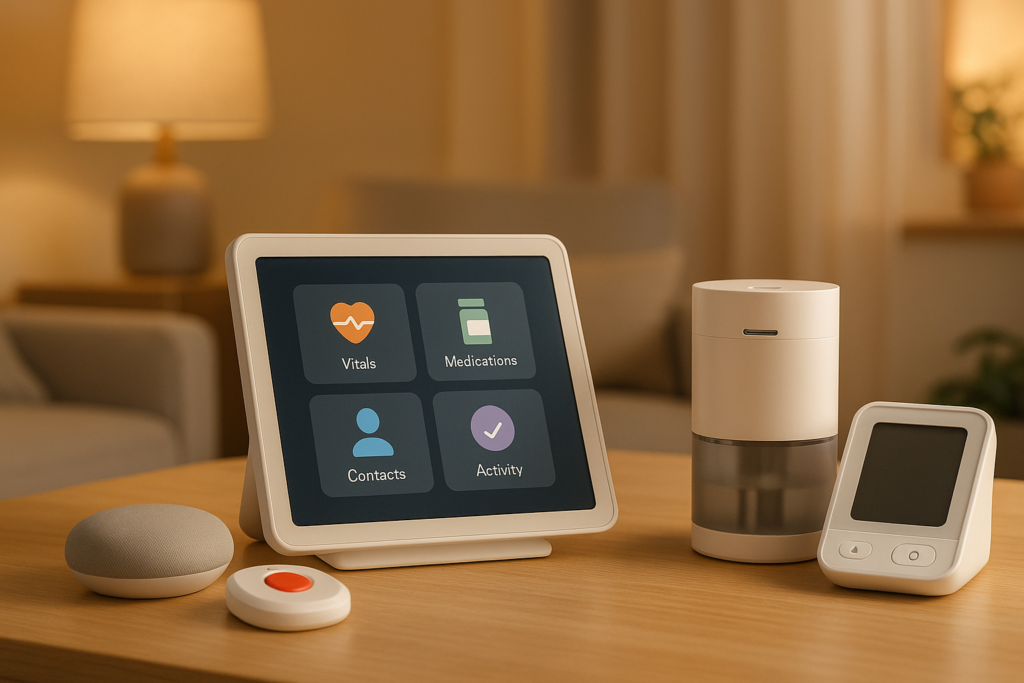
Yes, there are all-in-one systems designed specifically for senior care, and they are becoming more common as families, caregivers, and care organizations look for easier ways to support older adults. These systems are built to combine several care tools into one connected setup, so you can spend less time switching between platforms and more time focusing on safety, comfort, health, and quality of life.
If you are caring for an older adult at home, helping a parent from a distance, or managing care in a senior living community, you have likely noticed how complicated care coordination can become. One solution might handle medication reminders, another might track health data, and a different service might support emergency response or family communication. An all-in-one system aims to bring those functions together.
That said, not all senior care systems are truly comprehensive. Some are marketed as complete solutions but only cover one or two major needs. Others are designed well for professional care settings but may feel too complex for family use. Understanding what these systems are, how they work, and what features matter most can help you choose one that actually fits your situation.
What an All-in-one Senior Care System Means
An all-in-one senior care system is usually a connected platform that combines multiple care and safety functions into one service, app, device network, or dashboard. Instead of piecing together separate tools, you use one coordinated setup to manage daily support and monitor changes over time.
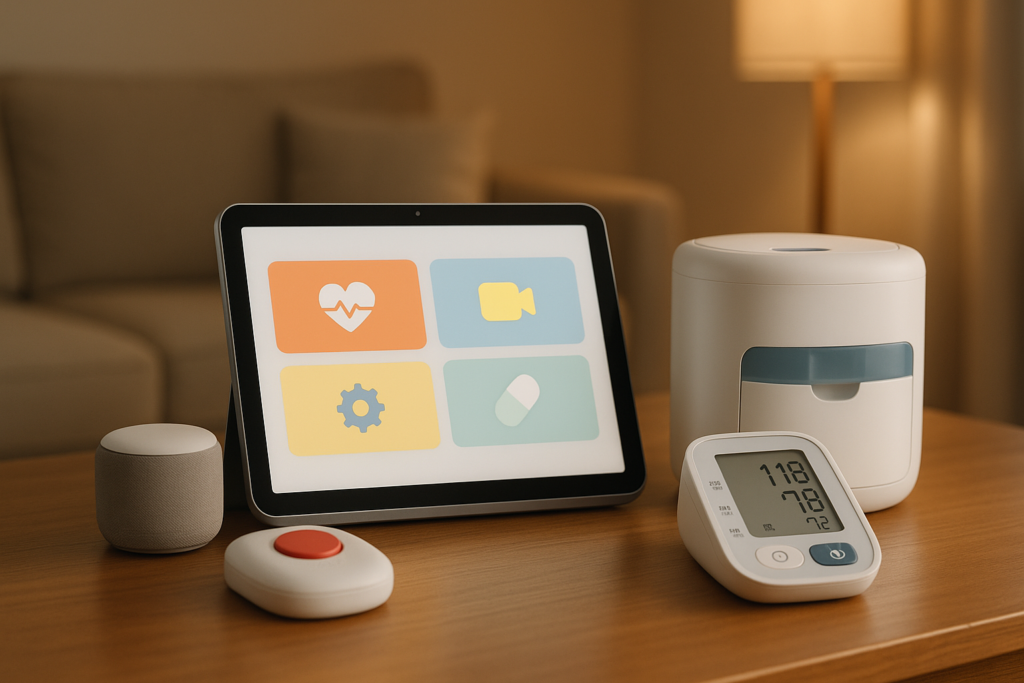
In senior care, “all-in-one” often means the system includes a mix of health monitoring, safety alerts, communication features, medication support, scheduling tools, and sometimes emergency assistance. The exact features vary, but the main goal is to reduce confusion and make care easier to manage.
Why These Systems Matter
Senior care is rarely just about one need. You may be helping with medication adherence, appointment tracking, fall risk, memory issues, chronic conditions, hydration, nutrition, mobility, and social connection all at once.
When those needs are handled through separate tools, things can easily slip through the cracks. An all-in-one system can help you create one more organized picture of care, making it easier to notice problems early and respond faster.
Who These Systems Are Designed For
These systems are not built for only one type of user. Depending on the product, they may be designed for:
- Older adults living independently
- Seniors with mild cognitive decline
- Adults aging in place with family support
- Home care agencies
- Assisted living communities
- Skilled nursing facilities
- Family caregivers managing care from a distance
- Care coordinators and case managers
Some platforms are simple and consumer-friendly, while others are enterprise-level systems intended for professional senior care teams.
Common Features You Can Expect
If you are comparing all-in-one senior care systems, it helps to know which features show up most often. While no single system offers everything perfectly, several core functions appear across the market.
Medication Management
Medication support is one of the most useful features in senior care systems. This may include reminders, automated dispensers, refill tracking, dose confirmations, and alerts if a dose is missed.
For you as a caregiver, this can reduce worry and help you identify adherence problems before they turn into health emergencies. For the older adult, it can create more independence and structure.
Emergency Response and Alerts
Many systems include some form of emergency support, such as wearable pendants, fall detection, panic buttons, or 24/7 response services. Some can automatically notify family members, caregivers, or emergency personnel when a serious event happens.
This feature is especially valuable if the senior spends time alone or has mobility, balance, or medical concerns. Quick response can make a major difference after a fall, sudden illness, or disorientation episode.
Health Monitoring
Some all-in-one systems connect with blood pressure cuffs, pulse oximeters, glucose monitors, thermometers, and weight scales. The system can track readings over time and share them with caregivers or clinicians.
If you are helping manage chronic conditions such as hypertension, diabetes, COPD, or heart failure, this kind of monitoring can support earlier intervention. It can also reduce unnecessary hospital visits when care teams can spot changes quickly.
Daily Activity Tracking
Activity monitoring tools may track movement, sleep patterns, bathroom visits, room usage, or changes in routine. These systems usually rely on motion sensors, wearables, or smart home devices.
A sudden drop in activity or a major change in sleep or bathroom use can signal illness, confusion, depression, dehydration, or worsening mobility. This information can be useful even when the senior says they are “fine.”
Communication Tools
Many platforms include messaging, family updates, appointment calendars, care notes, and shared alerts. This helps everyone involved stay informed without relying on scattered text messages or repeated phone calls.
If multiple siblings, aides, nurses, or care managers are involved, communication features can reduce misunderstandings. You can often see who handled what and when.
Appointment and Care Coordination
Some systems help organize medical appointments, transportation arrangements, task lists, and care plans. Professional systems may also include staff scheduling, charting, billing, and compliance documentation.
This becomes especially helpful when care is shared among multiple people. You can keep tasks visible and avoid duplicate efforts or missed responsibilities.
Cognitive and Wellness Support
Certain senior care systems include memory prompts, routine reminders, video check-ins, social engagement tools, and wellness content. These features are meant to support mental stimulation and daily structure.
For seniors with early memory issues or isolation risks, this kind of support can be just as important as physical safety features.
Types of All-in-one Systems Available
Not every “all-in-one” product looks the same. The market includes several categories, and knowing the difference can help you avoid paying for a system that does not match your needs.
Home-based Aging-in-place Systems
These are usually designed for seniors living at home. They may combine smart home sensors, medication reminders, wearable emergency buttons, caregiver apps, and telehealth support.
If your goal is to help a parent remain at home safely for as long as possible, this is often the category you will consider first. These systems usually focus on independence, remote monitoring, and family communication.
Senior Living Community Platforms
These systems are used by assisted living or independent living communities. They may support resident monitoring, wellness checks, communication with families, maintenance requests, activity calendars, and health documentation.
If you are evaluating a senior community for yourself or a loved one, asking about its integrated care system can tell you a lot about how organized and responsive the community is.
Home Care Agency Software Platforms
These are designed for professional caregivers and agencies. They often combine scheduling, care plans, visit verification, caregiver notes, billing, compliance tools, and communication features.
If you run or work with a home care agency, these all-in-one systems help manage operations while improving visibility into client needs. They may not always include direct consumer devices, but they are still considered integrated senior care platforms.
Remote Patient Monitoring Platforms
These systems center on health data collection and medical oversight. They can connect devices, collect vital signs, identify risk trends, and notify providers of concerning changes.
This type of system can be especially helpful when a senior has multiple chronic conditions or frequent hospitalizations. It does not always cover social or household needs, so you may need to pair it with broader care support.
Memory Care-focused Systems
Some integrated platforms are built specifically for seniors with dementia or Alzheimer’s-related needs. They may include wandering alerts, routine prompts, location awareness, caregiver notes, and behavioral tracking.
If memory loss is part of your care picture, general-purpose systems may not be enough. A more specialized solution may better support safety and reduce caregiver stress.
What “All-in-one” Usually Includes and What It Often Does Not
It is helpful to go in with realistic expectations. Even strong systems have limits, and no platform can replace human care, judgment, and compassion.
Here is a simple breakdown:
| Feature Area | Often Included | Sometimes Included | Usually Not Fully Included |
|---|---|---|---|
| Medication reminders | Yes | ||
| Emergency alert button | Yes | ||
| Fall detection | Yes | ||
| Vital sign monitoring | Yes | ||
| Family communication app | Yes | ||
| Telehealth visits | Yes | ||
| Smart home sensors | Yes | ||
| Staff scheduling | Yes | ||
| Medical diagnosis | Yes | ||
| Hands-on personal care | Yes | ||
| Transportation services | Yes | Often limited | |
| Full insurance coordination | Yes |
An all-in-one system can support care, but it will not take the place of nurses, aides, physicians, or involved family members. Instead, it acts as a tool that helps those people work together more effectively.
Benefits of Using an All-in-one Senior Care System
A well-designed system can make a real difference in daily life. The benefits are practical, emotional, and organizational.
Better Visibility Into Daily Well-being
When information is collected in one place, you can spot patterns more easily. Missed medications, increased restlessness, low activity levels, or unusual health readings are easier to notice when the system organizes them clearly.
That visibility can help you act sooner rather than waiting until there is a crisis.
Less Caregiver Stress
Caregiving can feel overwhelming, especially if you are coordinating care from another city or balancing it with work and family responsibilities. An integrated system can reduce some of the mental load by centralizing updates and automating reminders.
You may still worry, but you can worry with better information, which often feels more manageable.
More Independence for the Older Adult
Many seniors do not want constant checking in, even when they need support. A good system can provide quiet assistance through reminders, monitoring, and simple communication tools without making the person feel watched every minute.
That balance can support dignity and confidence while still improving safety.
Faster Response to Problems
If a fall occurs, a medication dose is missed repeatedly, or a health reading goes outside a safe range, the system can notify the right people quickly. Faster action can prevent small issues from becoming major emergencies.
This is one of the strongest reasons many families invest in integrated care technology.
Improved Coordination Among Care Teams
When multiple people share responsibility, communication can become messy. One sibling handles appointments, another orders medications, and a hired caregiver manages daily routines. An all-in-one system can keep everyone aligned.
This kind of coordination is useful in both family and professional care settings.
Challenges and Limitations You Should Know
These systems can be very helpful, but they are not perfect. If you know the common challenges in advance, you can make a better decision and avoid frustration later.
Technology Can Feel Intimidating
Some older adults are comfortable with apps and devices, but others are not. If a system relies heavily on touchscreen use, frequent charging, or complicated menus, adoption may be poor.
You should look for systems that match the user’s comfort level, not just the caregiver’s wish list.
Setup Can Be More Complicated Than Expected
Some platforms require installing sensors, syncing devices, setting alert preferences, creating user accounts, and training multiple people. If setup is too difficult, the system may never be used properly.
Ask whether installation support and onboarding are included before you buy.
Subscription Costs Add Up
Many systems involve monthly fees, equipment costs, monitoring charges, or separate fees for premium features. A product that seems affordable at first can become expensive over time.
It helps to calculate the full first-year cost instead of only looking at the advertised base price.
Data Privacy Matters
Senior care systems often collect sensitive health, behavior, and location information. You should understand how that data is stored, who can see it, and whether it is shared with third parties.
This is especially important if the system includes health monitoring or professional care coordination.
No System Covers Every Need
A platform might be strong in emergency support but weak in medication management. Another may have excellent health tracking but very limited family communication tools.
That is why it is important to define your top priorities first instead of assuming one brand will solve everything.
How to Tell if a System Is Truly Designed for Senior Care
A lot of products are adapted from general health tech or smart home technology. That does not automatically make them bad, but systems designed specifically for older adults often show certain qualities.
Simple and Accessible Design
Look for large text, clear instructions, easy navigation, voice support, and minimal steps for key tasks. If the older adult cannot use it comfortably, the system loses much of its value.
Accessibility should not be treated as an extra feature. It should be part of the core design.
Caregiver and Family Integration
A senior care system should make it easy for family members, professional caregivers, and clinicians to receive updates or share responsibilities where appropriate. If communication is clunky, coordination suffers.
The best systems support both independence and teamwork.
Age-related Safety Features
Products specifically built for senior care may include fall detection, inactivity alerts, cognitive prompts, geofencing, emergency escalation, and medication adherence tools. These are not always found in generic health apps.
If the system addresses common aging-related risks directly, it is more likely to be useful over time.
Flexibility as Needs Change
Senior care needs can shift quickly. Someone may start with basic reminders and later need mobility support, memory prompts, or remote health monitoring.
A strong all-in-one system should be able to grow with those changes rather than forcing you to switch platforms too soon.
Questions You Should Ask Before Choosing a System
Before you commit to any product or platform, it helps to ask a few practical questions. These can reveal whether the system will truly support your situation.
| Question | Why It Matters |
|---|---|
| What exact features are included in the base plan? | Some important tools cost extra |
| Is it made for home use, facility use, or agency use? | The wrong setting can make it ineffective |
| Is professional monitoring available 24/7? | Important for emergency response |
| How easy is it for the older adult to use daily? | Usability affects adoption |
| Can family members access updates remotely? | Essential for shared caregiving |
| Does it integrate with medical devices? | Useful for chronic condition management |
| What happens if internet or power fails? | Reliability affects safety |
| How is personal data protected? | Privacy is critical |
| Is customer support easy to reach? | Troubleshooting matters in care settings |
| Can the system scale if needs increase? | Helps avoid switching later |
These questions can save you time, money, and disappointment. It is much easier to screen products early than to replace a poor-fit system after setup.
Who Benefits Most From These Systems
Although many people can benefit, some situations make an all-in-one senior care system especially valuable.
Seniors Living Alone
If the older adult lives alone, a connected system can provide reassurance without constant in-person supervision. You can receive updates, monitor routines, and be notified if something unusual happens.
This can support both independence and peace of mind.
Long-distance Family Caregivers
If you cannot be physically present every day, these systems can help you stay informed. You may not be able to stop by after a doctor’s visit or see whether medication was taken, but technology can close some of that gap.
For many long-distance caregivers, centralized information is the biggest advantage.
Seniors Managing Chronic Conditions
Older adults with heart disease, diabetes, COPD, high blood pressure, or mobility issues often need close observation. An integrated system can help track daily health patterns and make care more proactive.
This can be especially helpful after hospitalization when preventing readmission is a priority.
People With Early Cognitive Changes
Mild memory loss can make routines harder to follow. Reminder systems, safety alerts, and caregiver communication tools can provide support before full-time supervision is needed.
The right system can help maintain structure and reduce stress for everyone involved.
Professional Care Teams
Agencies and senior living providers can benefit from centralized systems that improve documentation, communication, scheduling, and resident oversight. Better coordination often leads to better care consistency.
In these settings, the system becomes part of the daily workflow rather than just a family tool.
Signs You May Need More Than Separate Devices
It is common to start with a few separate tools such as a pill reminder, a smartwatch, and a family group chat. That approach can work for a while, but certain signs suggest it may be time for a more integrated system.
You Are Constantly Switching Between Apps
If you are checking one app for motion alerts, another for medication adherence, and another for appointments, care management can become fragmented. This makes it harder to see the full picture.
An all-in-one setup can reduce that friction.
Important Information Is Getting Missed
If family members are not seeing the same updates, tasks are duplicated, or concerns are not passed along quickly, communication gaps can affect safety.
A shared platform can help keep everyone on the same page.
Care Needs Are Becoming More Complex
As health, memory, or mobility issues increase, separate tools often stop being enough. More complexity usually requires better coordination.
That is often when integrated systems become most valuable.
You Feel Burned Out by Monitoring Everything Yourself
When you feel like the entire system depends on your memory and constant attention, burnout is not far away. Technology cannot remove all caregiving pressure, but it can reduce some of the repetitive oversight.
That support can make care feel more sustainable.
How to Choose the Best Option for Your Situation
There is no single best all-in-one senior care system for everyone. The best choice depends on the older adult’s health, living arrangement, cognitive status, comfort with technology, and support network.
Start With Your Top Three Needs
Instead of focusing on every available feature, identify the three needs that matter most right now. For example:
- Fall and emergency response
- Medication management
- Family communication
Or:
- Health monitoring
- Cognitive reminders
- Activity tracking
This helps you evaluate systems based on what truly matters instead of being distracted by extra features you may never use.
Match the System to the User
A powerful platform is not useful if it is too hard to operate. If the older adult dislikes wearables, forgets to charge devices, or becomes confused by apps, choose passive monitoring or simpler tools.
The best system is the one that will actually be used consistently.
Think About Future Needs
If care needs are likely to grow, choose a platform that can expand with you. That might mean adding more sensors, connecting health devices, or bringing in professional caregiver access later.
Planning ahead can save time and reduce disruption.
Ask for a Demo or Trial
Whenever possible, ask for a live demo, trial period, or sample dashboard. Marketing materials can make every system look simple, but real use often tells a different story.
If you can test it before committing, you will have a better sense of whether it truly fits.
Are These Systems Worth It?
For many families and care organizations, yes, an all-in-one senior care system is worth it when the product matches the actual care situation. The value comes from improved visibility, better coordination, quicker response times, and reduced stress.
However, a system is only worth the investment if it solves real problems. If the older adult needs mostly hands-on help with bathing, dressing, meal prep, or companionship, technology alone will not be enough. In that case, the best solution may be a mix of personal care services and selective technology support.
The strongest results usually happen when the system is used as part of a broader care plan rather than as a stand-alone answer.
Final Thoughts
Yes, there are all-in-one systems designed specifically for senior care, and they can be extremely helpful when you choose one that matches your needs. These systems can combine safety monitoring, medication support, health tracking, communication tools, and care coordination into one connected solution.
If you are trying to support an older adult more effectively, reduce caregiver stress, or make aging in place safer, an integrated senior care system may be a smart option to consider. The key is to look past the label “all-in-one” and focus on what the system actually does well, how easy it is to use, and whether it supports the real daily challenges you are facing.
When you choose thoughtfully, you can create a care setup that feels more organized, more responsive, and more reassuring for everyone involved.