Senior Smart Technology 101: How Caregivers Can Choose and Set Up the Right Devices
Have you ever wondered which smart devices can actually make your life at home safer, easier, and more comfortable as you get older?
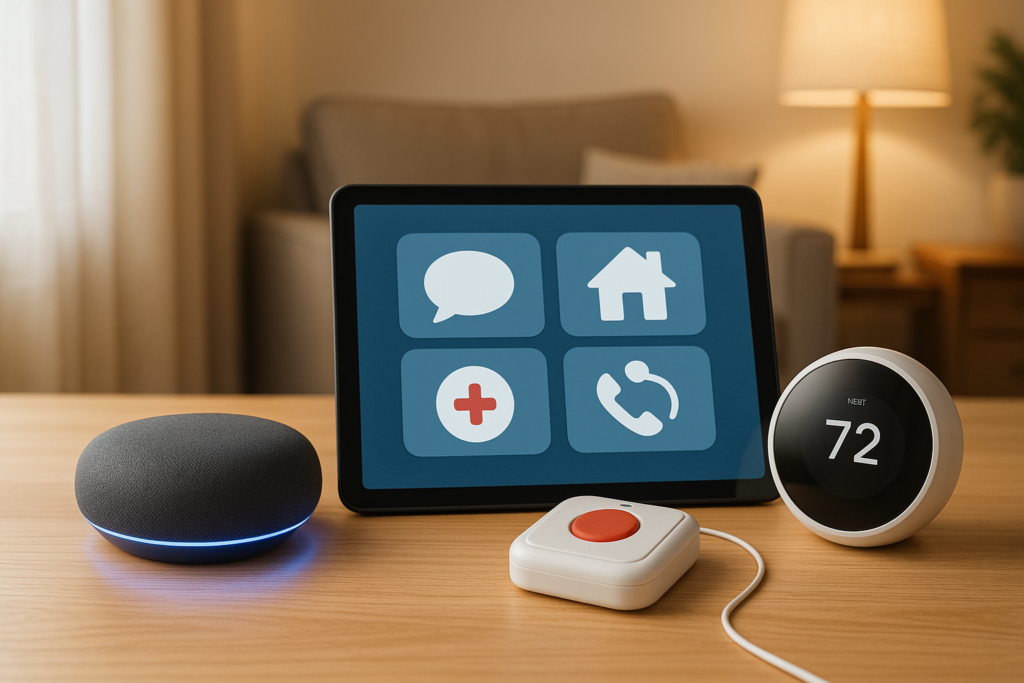
What Types Of Smart Technology Are Most Helpful For Seniors Living At Home?
If you want to stay independent at home for as long as possible, smart technology can be a real support. The best tools are not always the newest or most complicated. In many cases, the most helpful technology is the kind that solves everyday problems in simple ways, such as helping you remember medications, call for help quickly, lock your doors, monitor your health, or turn off lights without needing to move across the room.
You do not need to fill your home with gadgets to benefit from smart technology. A few well-chosen devices can reduce stress, improve safety, and help you feel more confident in your daily routine. The right setup can also give your family peace of mind without making you feel watched or overwhelmed.
This article breaks down the most helpful types of smart technology for seniors living at home, how they work, and what to think about before choosing them.
Why smart technology matters for aging at home
Living at home often means you value comfort, privacy, and independence. Smart technology can help you keep all three while making daily life more manageable.
Many older adults face common challenges such as reduced mobility, memory changes, hearing or vision difficulties, balance issues, and chronic health conditions. Smart devices can help address these concerns in practical ways. For example, voice assistants can set reminders, smart lighting can reduce fall risks, and medical alert systems can summon help in an emergency.
Another major benefit is convenience. If opening curtains, adjusting thermostats, checking who is at the door, or remembering appointments has become more tiring, smart tools can reduce the effort involved. They can also help caregivers support you from a distance in a respectful way.
What makes smart technology especially helpful for seniors
Not every device labeled “smart” is a good fit. Some products have too many features and are difficult to use. The most helpful smart technology for you should feel useful, not frustrating.
Here are the qualities that matter most:
- Easy to set up and use
- Large buttons or clear voice control
- Good sound quality and readable displays
- Reliable battery life or backup power
- Automatic alerts in emergencies
- Strong privacy and security options
- Compatibility with other devices in your home
- Helpful customer support
If a device saves time, reduces physical strain, improves safety, or helps you stay connected, it is likely worth considering.
Medical alert systems and emergency response devices
If there is one category of smart technology that can make an immediate difference, it is emergency response technology. These systems are designed to help you get assistance quickly if you fall, feel unwell, or face an emergency at home.
Wearable medical alert buttons
These are often worn as pendants, bracelets, or watches. If you need help, you press a button and connect with a response center or a loved one.
Many modern versions include:
- Fall detection
- GPS tracking
- Two-way speaker communication
- Water-resistant design
- Cellular service without needing a landline
These devices are especially helpful if you live alone or spend time in parts of the home where reaching a phone is difficult.
Fall detection systems
Some devices can detect a sudden fall automatically, even if you cannot press a button. This can be extremely valuable if you are injured or disoriented.
No fall detection system is perfect, but many have become much more accurate. If fall risk is a concern for you, this feature is worth serious consideration.
In-home emergency sensors
Some systems place sensors around your home to detect motion patterns, inactivity, or unusual behavior. For example, if there is no movement in the kitchen by a certain time of day, a caregiver may receive an alert.
This type of monitoring can be useful if memory concerns are starting to affect your routine. It can also support family members who live far away.
Smart home voice assistants
Voice assistants are often one of the easiest smart tools to use because you can control them by speaking. If using a smartphone or navigating menus feels inconvenient, this can be a major advantage.
Popular voice assistants can help you with:
- Setting medication reminders
- Making phone calls
- Playing music or audiobooks
- Reading the news or weather
- Creating shopping lists
- Controlling lights, plugs, and thermostats
- Answering simple questions
- Contacting family members
Why voice control is useful
If you have arthritis, limited mobility, or vision difficulties, voice control can reduce the need to tap screens or press buttons. You can simply say a command like, “Turn on the bedroom light,” or “Remind me to take my medication at 8 PM.”
For many people, this creates a stronger sense of control over the home environment.
Best uses for daily routines
Voice assistants are especially helpful for routine tasks that repeat every day. You can use them to create structure and reduce memory strain.
Examples include:
- Morning reminders for medications
- Appointment alerts
- Bedtime prompts
- Daily hydration reminders
- Exercise or stretching timers
Over time, these small supports can make your days smoother and less stressful.
Smart lighting for safety and convenience
Lighting is one of the simplest and most valuable upgrades for aging at home. Poor lighting increases the risk of trips and falls, especially in hallways, bathrooms, stairways, and bedrooms.
Smart lighting can improve visibility while reducing the need to move around in the dark.
Motion-activated lights
These lights turn on automatically when they detect movement. They are especially helpful in:
- Hallways
- Bathrooms
- Entryways
- Staircases
- Bedrooms
- Kitchens
If you wake during the night, motion lights can guide your way without needing to search for a switch.
Voice-controlled and app-controlled bulbs
You can turn lights on or off with your voice or through a mobile app. This is useful if getting up is difficult or if you forget to turn lights off.
Scheduled lighting
Smart bulbs and switches can be programmed to turn on or off at set times. This can support your routine and also make your home look occupied if you are away.
Smart doorbells, locks, and home security devices
Feeling secure at home matters. Smart security tools can help you know who is outside, lock doors without strain, and reduce worry.
Video doorbells
A smart doorbell lets you see who is at the door without opening it. You can use a phone, tablet, or smart display to check visitors.
This can be especially useful if:
- Walking to the door takes time
- You want to avoid unexpected visitors
- You are concerned about scams
- You want to speak to a delivery person without opening the door
Smart locks
Smart locks allow you to lock or unlock your door remotely, by keypad, or through voice control in some setups. This can be useful if handling small keys is difficult.
They are also helpful if a caregiver, family member, or home health aide needs access without requiring physical key handoffs.
Security cameras and sensors
Indoor or outdoor cameras, as well as window and door sensors, can add another layer of safety. However, privacy should always be considered carefully. If you use cameras indoors, they should be placed respectfully and only where truly necessary.
Medication management technology
Remembering to take medications correctly can become more difficult when prescriptions increase. Smart medication tools can reduce missed doses and confusion.
Smart pill dispensers
These devices organize pills and release the correct dose at the right time. Many also provide alarms, flashing lights, or voice reminders.
Some models can:
- Lock until it is time for the next dose
- Notify a caregiver if a dose is missed
- Track medication history
- Reduce double-dosing risk
If you take several medications each day, this type of device can be extremely useful.
Reminder apps and voice alerts
If your medication routine is simpler, a phone app or voice assistant reminder may be enough. This option tends to cost less and can still work well if you are comfortable with basic technology.
Why medication support matters
Medication mistakes can lead to serious health issues, including falls, dizziness, hospital visits, and worsening chronic conditions. A simple reminder or dispenser can make a meaningful difference in your overall well-being.
Smart health monitoring devices
Health monitoring technology can help you keep track of important information from home and share it with your care team when needed.
Smart blood pressure monitors
These devices measure your blood pressure and often store readings automatically in an app. This can help you keep a clear record over time without writing everything down manually.
Glucose monitors
If you live with diabetes, smart glucose monitors can make it easier to track readings and identify patterns. Some systems can even share data with family members or healthcare providers.
Smart scales and wearable health trackers
Smart scales can track weight changes, while wearable devices may monitor activity, heart rate, sleep, and in some cases irregular heart rhythm alerts.
These tools are not a replacement for medical care, but they can help you notice changes sooner.
Telehealth-friendly devices
Some smart devices are designed to work well with virtual healthcare visits. If you regularly speak with your doctor from home, having digital records of blood pressure, oxygen levels, or glucose can make appointments more productive.
Smart thermostats and climate control
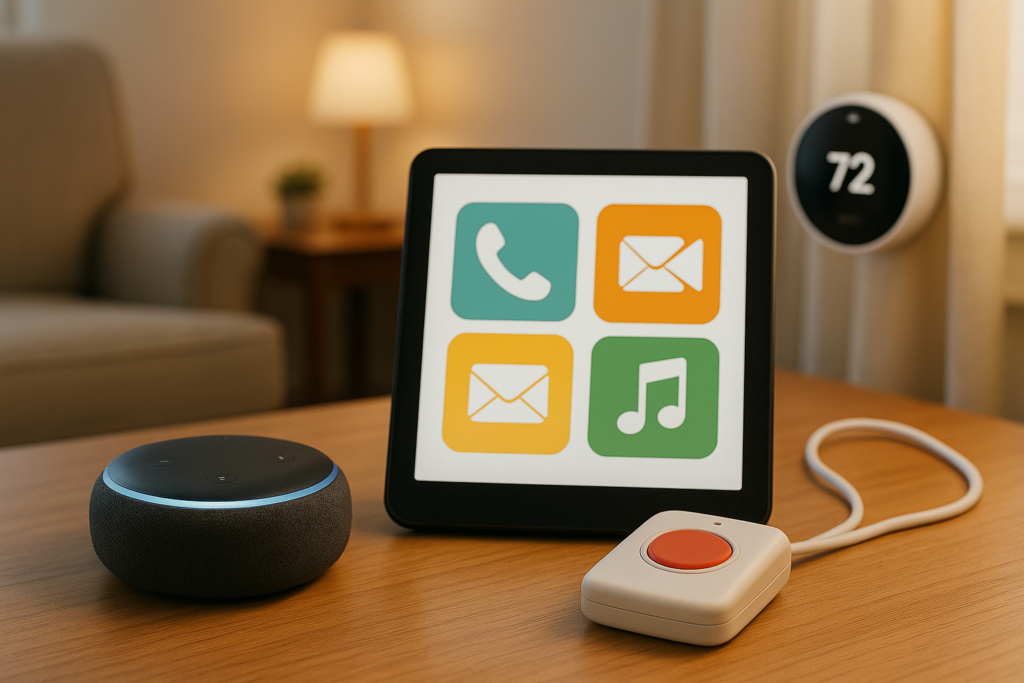
Temperature comfort affects sleep, health, and daily comfort more than many people realize. Smart thermostats can help you keep your home at the right temperature without needing to manually adjust controls often.
Benefits of smart thermostats
A smart thermostat can:
- Maintain steady indoor temperatures
- Reduce the need to bend or reach
- Be adjusted by voice or app
- Save energy and lower utility bills
- Alert you to unusual temperature changes
This can be especially helpful during very hot or cold weather when health risks increase.
Remote support from family
In some setups, a trusted family member can help check or adjust thermostat settings if needed. This is useful if you are not feeling well or are having trouble using the controls.
Smart kitchen technology
The kitchen can be one of the most useful places for smart support. It is also an area where safety matters a lot.
Smart plugs and automatic shutoff devices
A smart plug can turn off a device remotely or on a schedule. Some appliances and stove safety devices can also shut off automatically if left on too long.
This helps reduce fire risk and provides reassurance if you sometimes worry about whether something was turned off.
Smart microwaves and simple appliance controls
Some newer kitchen tools include voice control, reminders, or automatic settings. These are best when the controls are simple and easy to read.
Refrigerators and food reminders
While not essential for everyone, some smart refrigerators can track expiration dates or create alerts. In many homes, a simpler solution like voice reminders or digital grocery lists may be more practical.
Communication devices that reduce isolation
Technology is not only about safety. It can also help you stay emotionally connected, which is just as important for your health.
Smart displays for video calls
A smart display combines a screen with voice control. You can use it to make video calls, view reminders, see photos, or check the weather.
This can be helpful if:
- You want a larger screen than a phone
- Tapping tiny buttons is frustrating
- You enjoy seeing family members face to face
- You want a simple way to call for support
Easy-to-use phones and tablets
Some phones and tablets are specifically designed for older adults, with larger icons, louder sound, simpler menus, and emergency contact shortcuts.
If you want to stay connected without learning a lot of new steps, these can be a better choice than standard devices.
Social connection and mental well-being
Regular contact with family, friends, faith communities, and support groups can reduce loneliness and support mental health. Technology makes those connections easier when travel is difficult.
Smart technology for memory support
If memory changes are affecting your routine, certain devices can offer gentle structure and support.
Digital calendars and reminder screens
Large digital calendars can show the day, date, time, appointments, and reminders clearly. Some can be updated remotely by family members.
These are useful if you sometimes lose track of time or forget planned activities.
Task prompts and routine assistance
Voice assistants, smart displays, and reminder apps can prompt you to:
- Eat meals
- Drink water
- Attend appointments
- Lock doors
- Take out trash
- Start bedtime routines
These simple prompts can make daily living feel more manageable.
Location and item tracking devices
Small trackers can be attached to keys, wallets, purses, or other important items. If misplacing things has become more common, these devices can save frustration and time.
Bathroom and mobility-related smart tools
The bathroom is one of the highest-risk areas for falls, so smart support here can be especially valuable.
Water leak and flood sensors
These sensors alert you if there is water on the floor or a leak under a sink. This helps prevent slips and home damage.
Motion sensors and night lighting
Good lighting in the bathroom is essential, especially at night. Motion-sensitive lights can help you move more safely without fumbling for switches.
Smart bidets and touch-free devices
Touch-free or easy-to-control bathroom devices can help if mobility, pain, or limited hand strength affects your comfort and hygiene.
How to choose the right smart technology for your needs
The best smart technology depends on your daily challenges, your comfort with devices, and your budget. It helps to think about the problems you want solved first, instead of starting with the products.
Ask yourself:
- Do you worry most about falls?
- Is medication management difficult?
- Do you want easier communication with family?
- Is security your biggest concern?
- Would voice control make daily tasks easier?
- Do you need better reminders and routine support?
Starting with your actual needs prevents unnecessary spending and keeps your home from feeling cluttered or confusing.
A simple comparison of helpful smart technology
Here is a quick look at common smart technology categories and what they are best for:
| Type of Smart Technology | Main Benefit | Best For |
|---|---|---|
| Medical alert systems | Fast emergency response | Falls, living alone, health emergencies |
| Voice assistants | Hands-free control and reminders | Mobility issues, memory support, convenience |
| Smart lighting | Better visibility and fall prevention | Nighttime safety, hallways, bathrooms |
| Smart locks and doorbells | Security and easier access | Limited mobility, scam prevention, caregiver access |
| Smart pill dispensers | Medication accuracy | Multiple prescriptions, memory challenges |
| Health monitors | Track health data at home | Chronic conditions, telehealth support |
| Smart thermostats | Comfort and energy savings | Temperature sensitivity, limited mobility |
| Smart displays | Easier communication | Video calls, reminders, larger visual interface |
| Motion and activity sensors | Routine monitoring | Cognitive changes, caregiver reassurance |
| Kitchen safety devices | Fire and appliance safety | Forgetfulness, cooking concerns |
Tips for making smart technology easier to use
Even the best device can be frustrating if it is not set up well. A few practical steps can make a big difference.
Keep things simple
Choose one or two devices first instead of installing everything at once. This gives you time to get comfortable without feeling overwhelmed.
Use large fonts and loud alerts
Adjust settings so screens are easier to read and sounds are easier to hear. Many devices allow personalized volume, brightness, and display size.
Label devices and create a short guide
A simple printed instruction sheet can be very helpful. Include basic steps in large print, such as how to call a family member, turn on lights, or respond to an alert.
Involve a trusted person in setup
If possible, ask a family member, caregiver, or tech support professional to help with installation and testing. It is important that devices work properly before you rely on them.
Test emergency features regularly
If you use an alert button, fall detector, or smart lock, test it occasionally to make sure it is still working and that you feel confident using it.
Privacy and security considerations
Smart technology can be helpful, but it should also respect your privacy. Before buying a device, it is smart to ask a few questions.
What data does it collect?
Some devices collect health data, movement patterns, video recordings, or voice recordings. You should know what is being stored, who can access it, and how it is protected.
Can you control permissions?
Choose devices that allow you to manage who gets alerts, who can view information, and which features are active.
Is the company reputable?
Read reviews, check customer support options, and look for clear privacy policies. A lower-priced device is not always the best value if it is unreliable or insecure.
Common mistakes to avoid
Many people buy smart technology with good intentions, then stop using it because it does not fit their daily life. You can avoid this by watching for a few common issues.
Buying too much too soon
A fully connected home sounds impressive, but it may be unnecessary. Start small and add tools only when they solve a real problem.
Choosing complicated devices
A product with dozens of features is not helpful if the controls are confusing. Ease of use should always come first.
Ignoring internet and power needs
Many smart devices require Wi-Fi, charging, or backup batteries. Make sure your home setup supports the device reliably.
Forgetting maintenance
Software updates, battery checks, and occasional testing are important. Technology should not be set up once and then forgotten completely.
The most helpful smart technology often depends on your lifestyle
What works best for you may be different from what works best for someone else. If you are active and comfortable with smartphones, wearable health trackers and app-based tools may fit well. If you prefer simple routines and minimal screens, voice assistants, motion lights, and medical alert buttons may be a better match.
The goal is not to make your home feel like a machine. The goal is to make your home easier to live in. Smart technology should support your habits, reduce risks, and help you keep doing the things that matter most to you.
Final thoughts on smart technology for seniors living at home
If you are wondering what types of smart technology are most helpful for seniors living at home, the strongest options are usually the ones that improve safety, simplify routines, and support independence. Medical alert systems, voice assistants, smart lighting, medication reminders, health monitoring devices, communication tools, and home security products can all play an important role.
You do not need every device on the market. You only need the tools that make your home life safer, calmer, and more comfortable. When chosen thoughtfully, smart technology can help you stay in control of your daily routine, remain connected to the people you care about, and continue living at home with greater confidence.